Arcade gridiron · Learn to win

Play Action

Every Play, Explained.

Snap the ball, read the defense, let it rip. Every play is a two minute thriller powered by a real football sim — you win by outsmarting the D, not by luck. Take the snap.

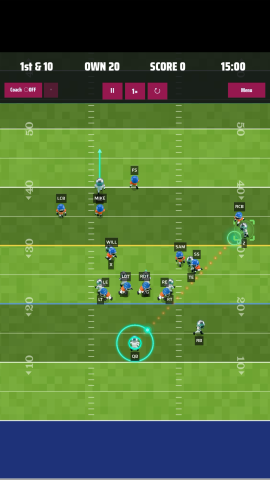
Play Action gameplay screenshot

Football that finally makes sense

Pick it up in seconds. Get better every drive.

  • Study the Playbook

    Learn the formations and coverages. Fully guided practice sessions. The game teaches you the real thing — one snap at a time.

  • One thumb, no textbook

    Never watched a down in your life? Doesn't matter. Every play is a tap and a flick. The game teaches you as you go.

  • Read the defense

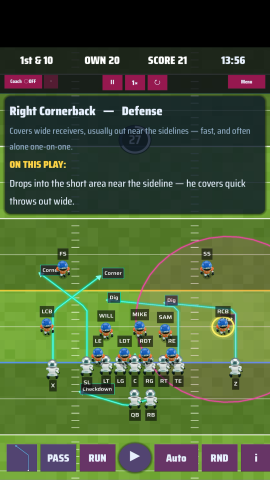
    The game shows you what the D is doing and why your guy came open. You learn the real thing.

  • Two minutes, one more drive

    Fast, punchy games built for a bus stop or a coffee break. The clock is always ticking down to one more score.

App Preview

See Play Action, in action.

No screenshot can show it: take the handoff and time slows at the line. The camera dives in, the hole opens, you go. Watch it in motion.

See it in action

Every drive, in the palm of your hand.

Play Action gameplay screenshot 1
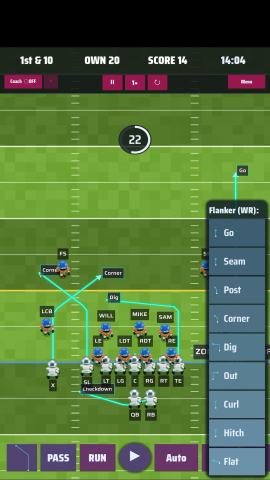
Play Action gameplay screenshot 2
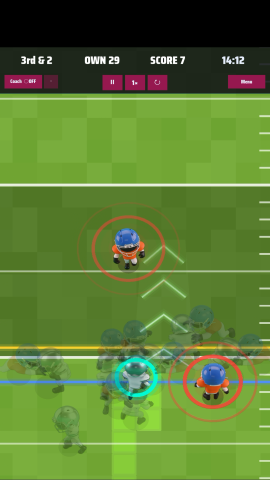
Play Action gameplay screenshot 3
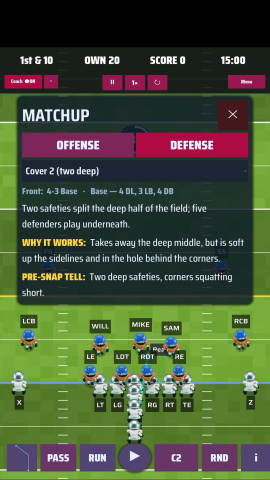
Play Action gameplay screenshot 4
Play Action gameplay screenshot 5
How to play

Know the controls, run the game

Two minutes here and you are calling your own plays.

Player control

  • Drag the quarterback backwards to slingshot a pass.
  • Swipe the ball carrier sideways to juke. A white ring appears around the player when it works.
  • Drag the ball carrier to change direction as they run.
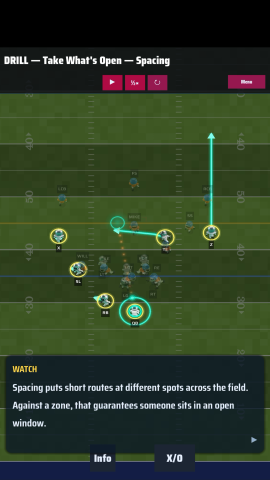
  • Tap a receiver to change their route.
  • Drag your receivers into the position you want them in.
  • A route you set by hand carries over to the next play.
  • To reset the receivers to their original spots, switch to a run play and back again. (Improving in the next release.)

Defense control

  • Coverage is set to Auto by default — it lines up to oppose the pass play you picked.
  • Tap the RND button for a random play.
  • Override the coverage by hand to experiment.

The Coach

  • On Gameday you are in full control — the Coach never steps in on its own, though you can switch it on.
  • In Free Play the Coach calls the plays by default, so you don't have to pick one every snap.
  • Call your own play and the Coach steps back. Turn it on or off whenever you like.
  • The Coach isn't very inventive yet — that's coming.

Tips

  • Play information shows by default on every snap.
  • Tap any player to see what their job is on the play.
  • Hide play information with the "i" button at the bottom right.
  • Tap the "i" inside the play information box for full offensive and defensive detail.
  • Pick a new play from the dropdown in the detail box.
  • Change the defensive formation in the detail box too.
  • Toggle route arrows with the arrow button at the bottom left.
  • Replay, pause and change play speed with the buttons in the top menu.
Take the snap.

Play on iOS and Android. Your first drive starts now.

Your data

Privacy, done right

We don't collect your data. Simple as that.

  • No account required

    Jump straight into the action. No sign-up, no login, no personal info needed to play.

  • Zero data collected

    Play Action does not collect, store, or transmit any personal or usage data from your device.

  • No tracking

    No analytics, no ad trackers, no cookies. What you do in the game stays on your device.

  • Nothing to share

    Since we don't collect any data, there's nothing to sell or share with third parties — ever.

Play Action fully complies with Apple's App Store data privacy requirements. Per our App Store Privacy Nutrition Label, this app collects no data.